Amazon Fulfillment Tech

Environment, Health, and Safety

Photo of a woman in an orange safety vest using a pallet jack to move a pallet of yellow plastic bins in an Amazon warehouse.

The short version

The global EHS team approached AFT to build an entire new Environment, Health and Safety suite to be used in all Amazon facilities worldwide. There were hard requirements that had to be met, but also a desire to innovate and exceed industry standards.

We had a small product team that knew nothing about EHS, a huge project, and tight timelines. I worked with my PM and SDM to setup a discovery and onboarding phase followed by a very lean, scrappy process to build and deploy modules quickly.

I provided a scalable architecture and several improvements for both users and administrators, as well as a vision reel to promote the initiative with stakeholders. We delivered our promised modules on time and secured additional budget for site hardware and team investments.

The global EHS team approached AFT to build an entire new Environment, Health and Safety suite to be used in all Amazon facilities worldwide. There were hard requirements that had to be met, but also a desire to innovate and exceed industry standards.

We had a small product team that knew nothing about EHS, a huge project, and tight timelines. I worked with my PM and SDM to setup a discovery and onboarding phase followed by a very lean, scrappy process to build and deploy modules quickly.

I provided a scalable architecture and several improvements for both users and administrators, as well as a vision reel to promote the initiative with stakeholders. We delivered our promised modules on time and secured additional budget for site hardware and team investments.

The global EHS team approached AFT to build an entire new Environment, Health and Safety suite to be used in all Amazon facilities worldwide. There were hard requirements that had to be met, but also a desire to innovate and exceed industry standards.

We had a small product team that knew nothing about EHS, a huge project, and tight timelines. I worked with my PM and SDM to setup a discovery and onboarding phase followed by a very lean, scrappy process to build and deploy modules quickly.

I provided a scalable architecture and several improvements for both users and administrators, as well as a vision reel to promote the initiative with stakeholders. We delivered our promised modules on time and secured additional budget for site hardware and team investments.

The deets

Role: UX Lead (onsite)

Skills: System architecture, lean process, stakeholder management

Scope: New platform for all facilities worldwide

Duration: Nov. 2018 - Nov. 2019

Result: Scalable platform, phase 1 launch

The situation

The Amazon Fulfillment Tech (AFT) team is a small, centralized UX team responsible for the software used by associates throughout Amazon's global fulfillment facilities. The team works with a wide array of partners on hardware and software for managing people and processes, guided work, and more. I took ownership of the global Environment, Health, and Safety (EHS) project, dubbed "Austin", shortly after joining the team.

What's the problem?

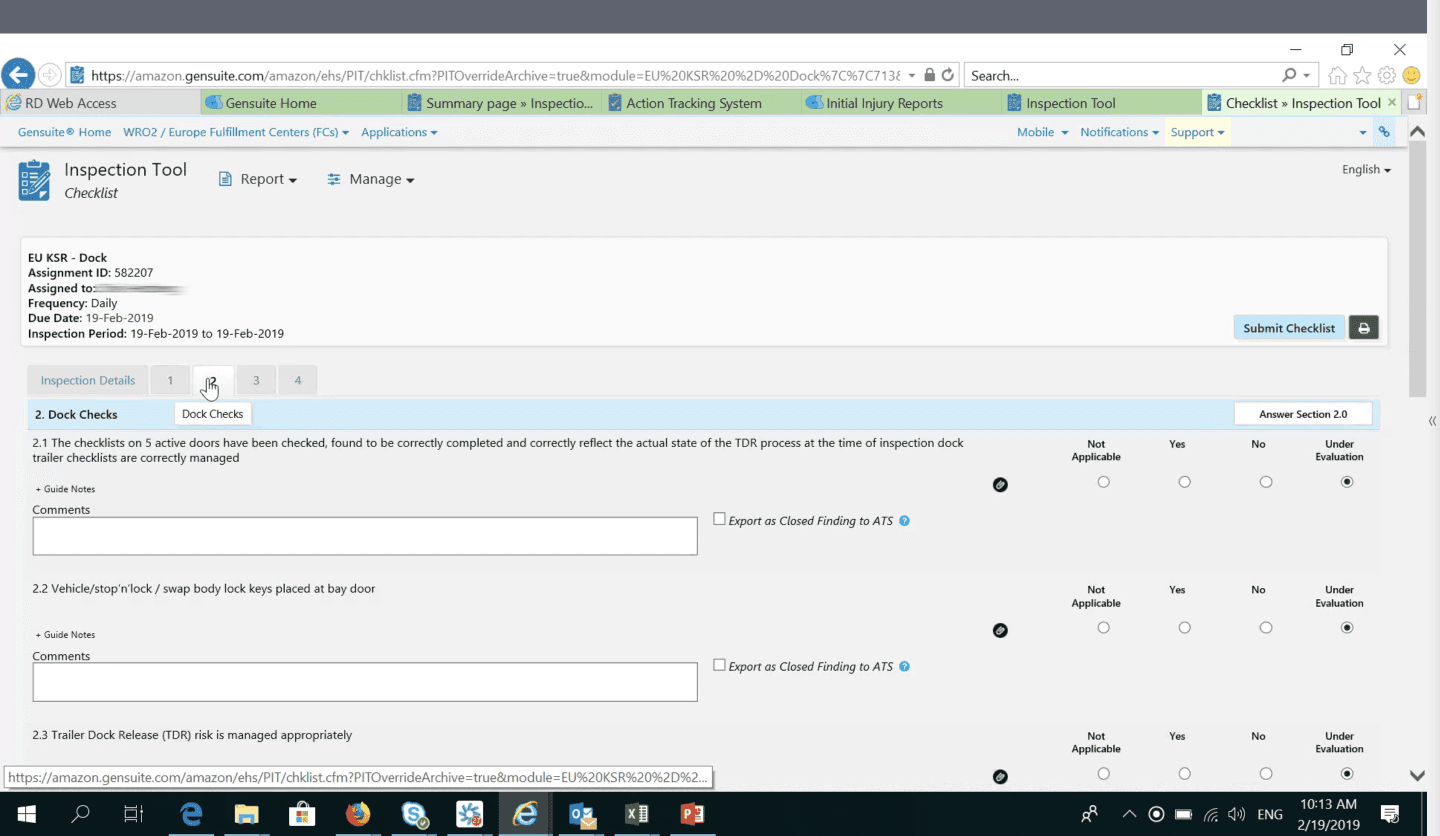
The global EHS team wanted to replace their existing 3rd party software suite (over 30 modules) with a proprietary system built from scratch. Complaints included:

  • Cluttered interface, hard to navigate

  • Redundancy across checklists

  • Lack of flexibility or mobility

  • Lack of control

Screenshot of the Gensuite tool, which has many tabs and generic form inputs. There's lots of unused space, type is small and the overall look is dated.

Where I come in…

Having just recently joined AFT, I was in the process of onboarding, mostly working on templates for better visualization of physical/digital workflows and improved design documentation. When this project surfaced (as a consultation), I pivoted to take it on as a priority and we got started immediately, scheduling a kickoff workshop with about 25 SMEs within 2 weeks. We had multiple key stakeholders geographically distributed. Our product team was also distributed with me in Seattle, our PM in Toronto, and our dev team in Austin. I was the sole designer and researcher for the majority of the year, until we were able to bring in another designer in the last quarter and a dedicated researcher just prior to the pilot launch.
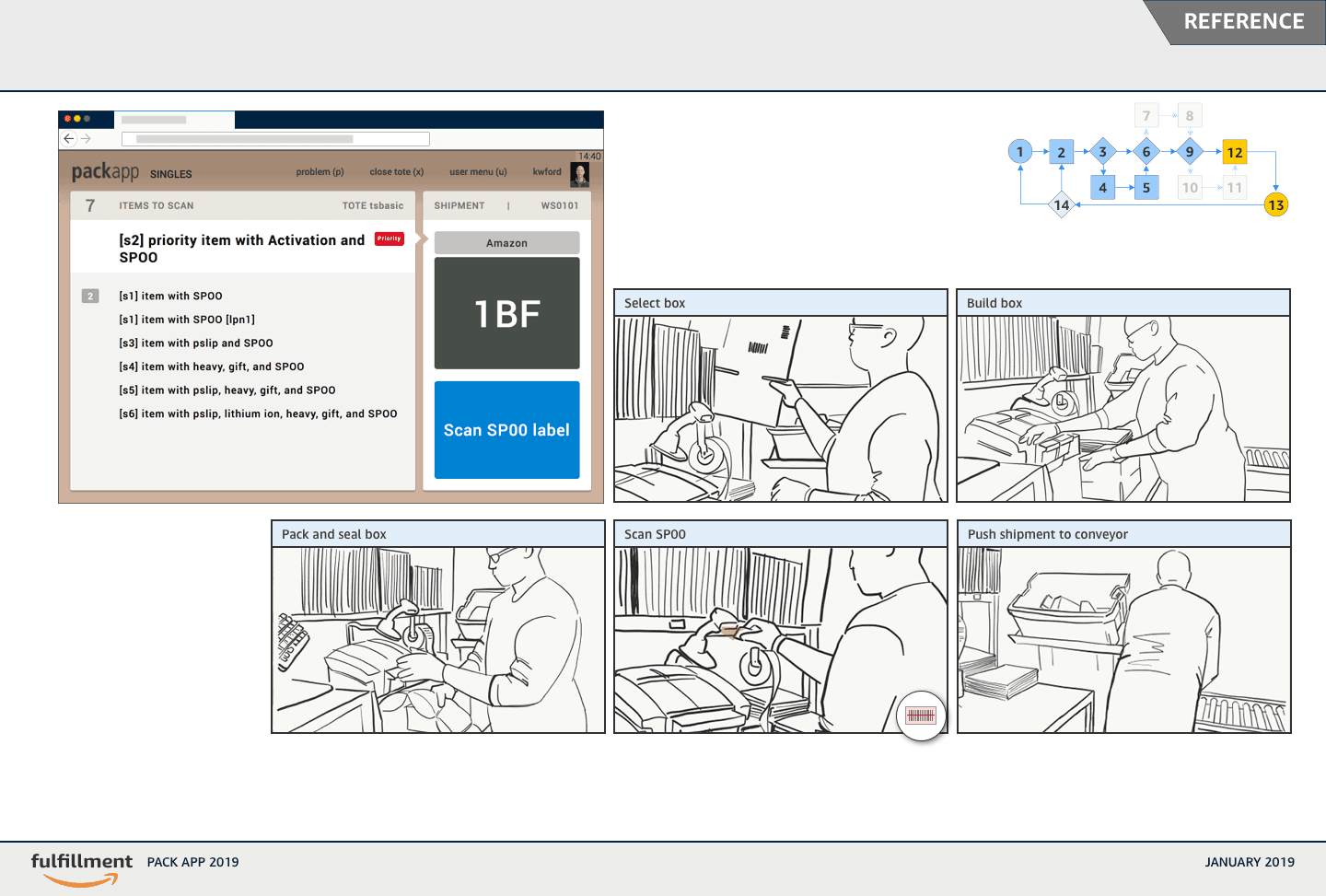
Example of a screen from a user journey that shows a digitally guided physical process. There's a screen shot in the upper left, a simple flow diagram in the upper right with the current step highlighted and a 5 panel strip of line drawings in the middle showing a person packing items into a box.
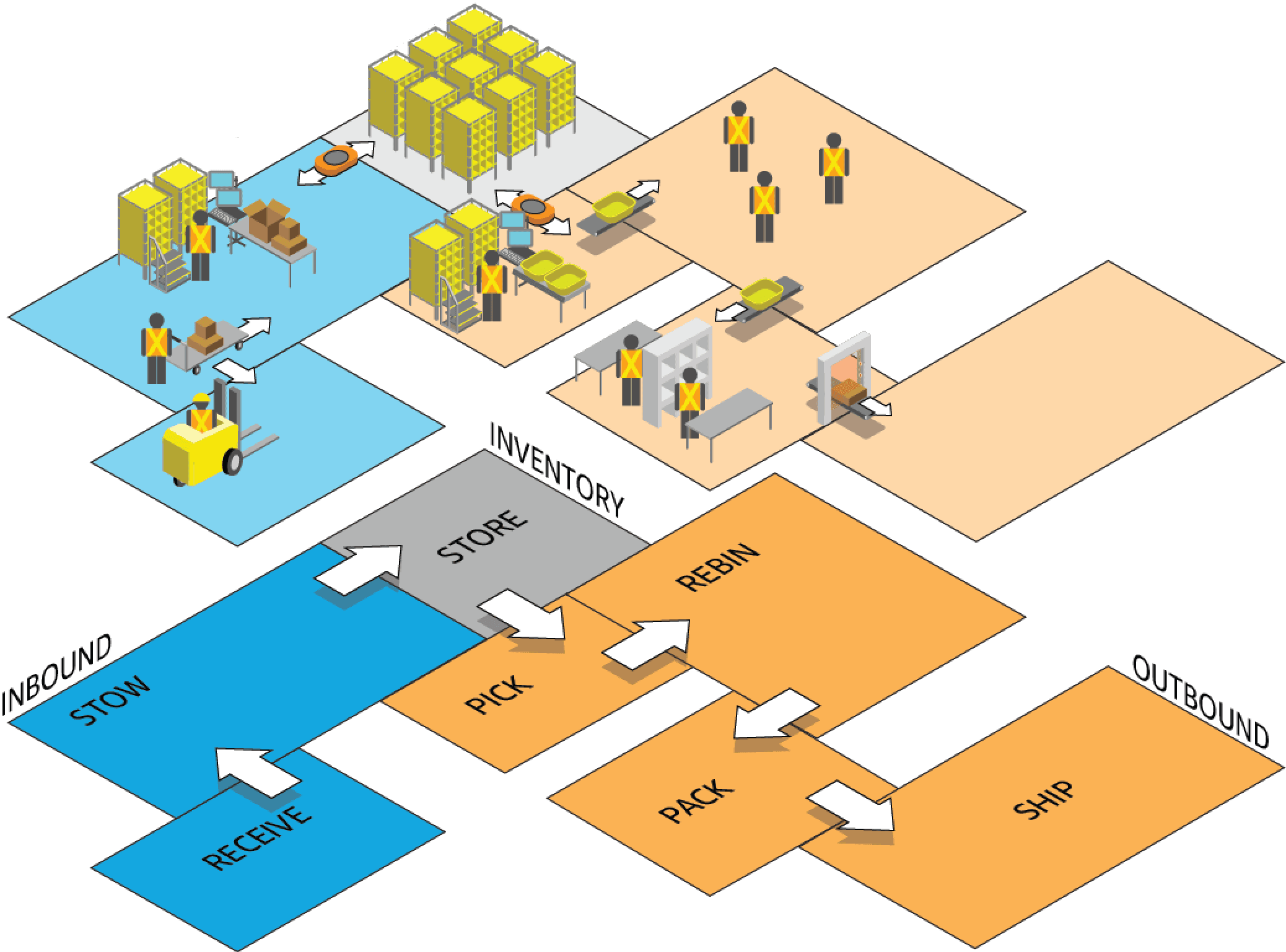
Isometric diagram of an FC workflow through different stations from receiving to shipping.

What we did…

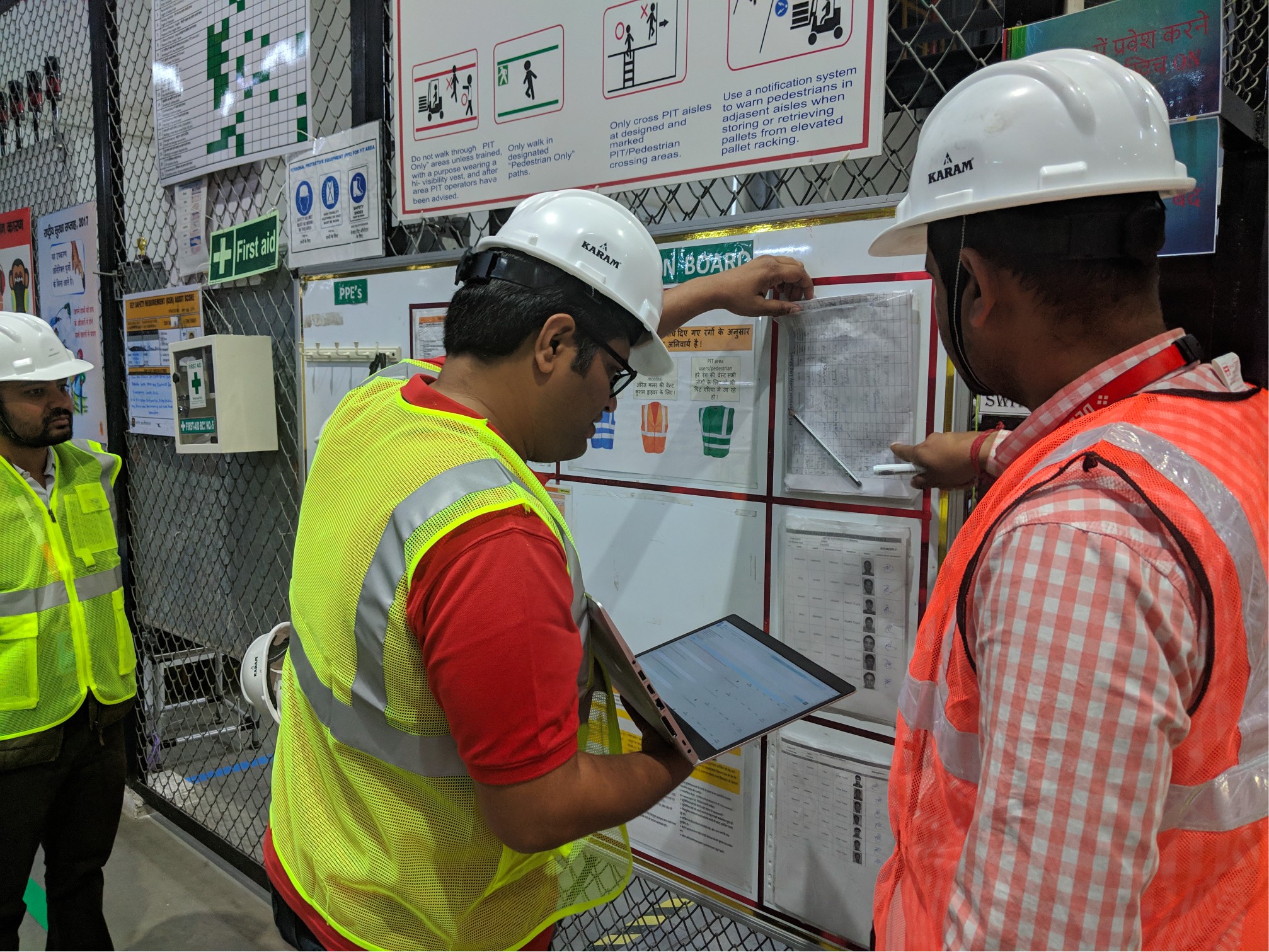
Since our product team knew nothing about EHS processes, I quickly set up a hybrid remote/onsite workshop with subject matter experts from the EHS team to help us ramp up. We followed that session with research trips to approximately 27 facilities in the US, EU, and Asia where we conducted interviews and shadowed associates.
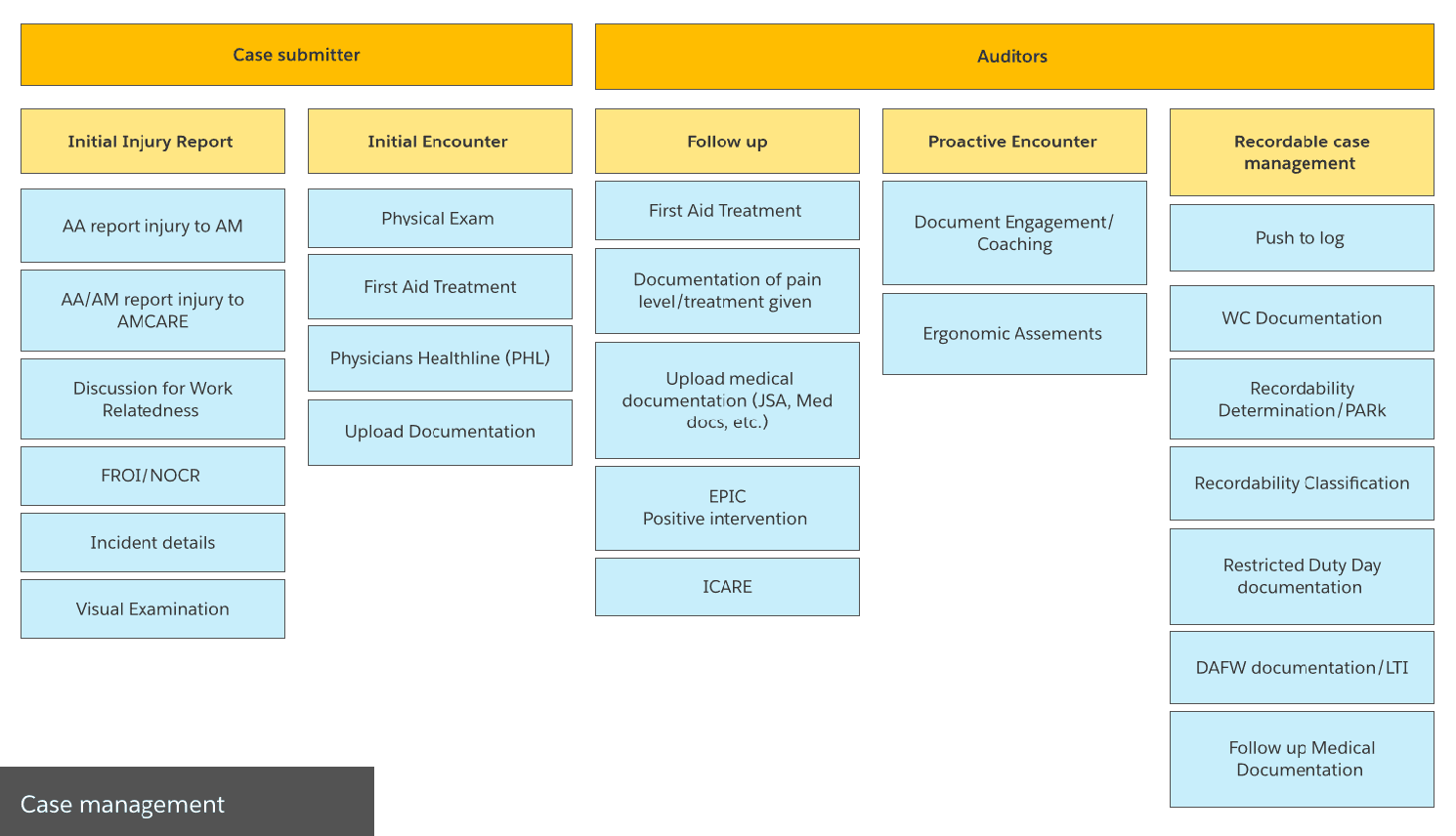
High level process diagram showing different stages and contributors from our stakeholder workshop.
Photo from a site research visit where two associates are comparing information on their laptop to a posting on the wall in preparation for a safety inspection.

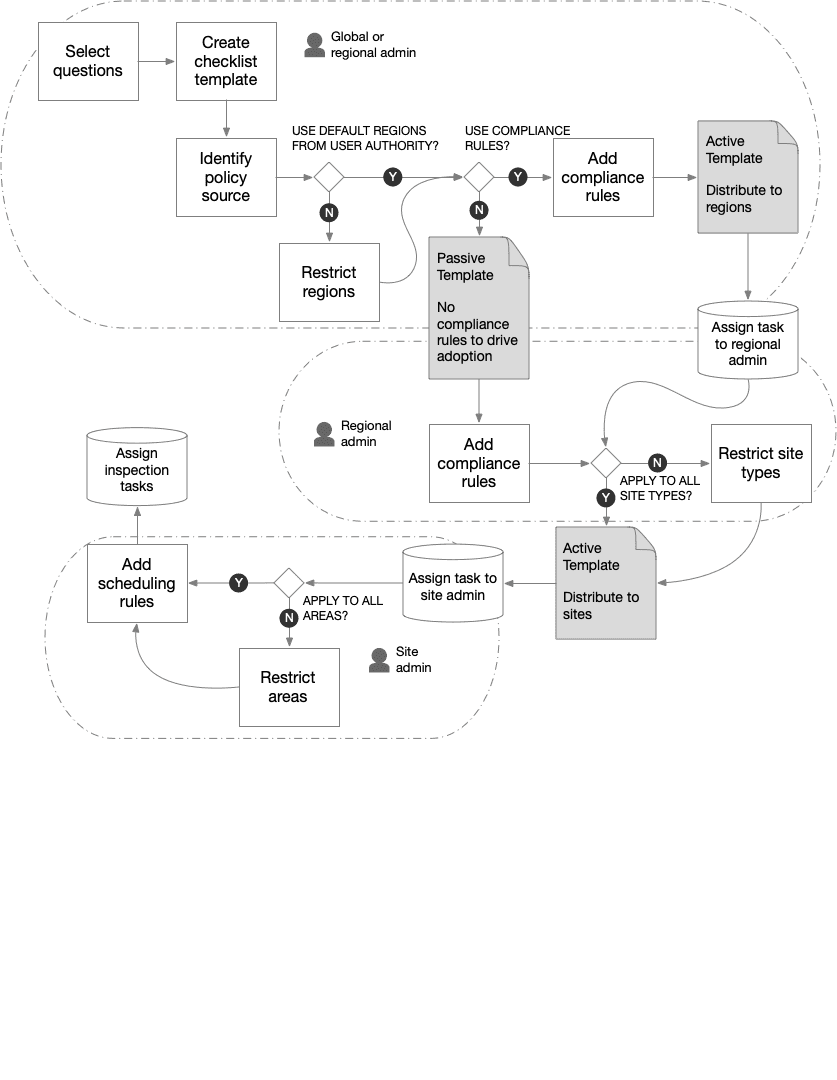
I pushed hard for an object-oriented (or atomic design) approach using inspection questions as our base component. We treated forms as collections of questions that could be dynamically generated, updated, or localized as needed. We used a lean process, I worked closely with engineering and reduced design deliverables to a minimal component library, simple wireframes and flows, and functional documentation. For stakeholders, I did an experience vision video that emphasized key features like seamless multi-modal workflows, interconnectivity between systems, and easily recording issues and assigning follow up actions.
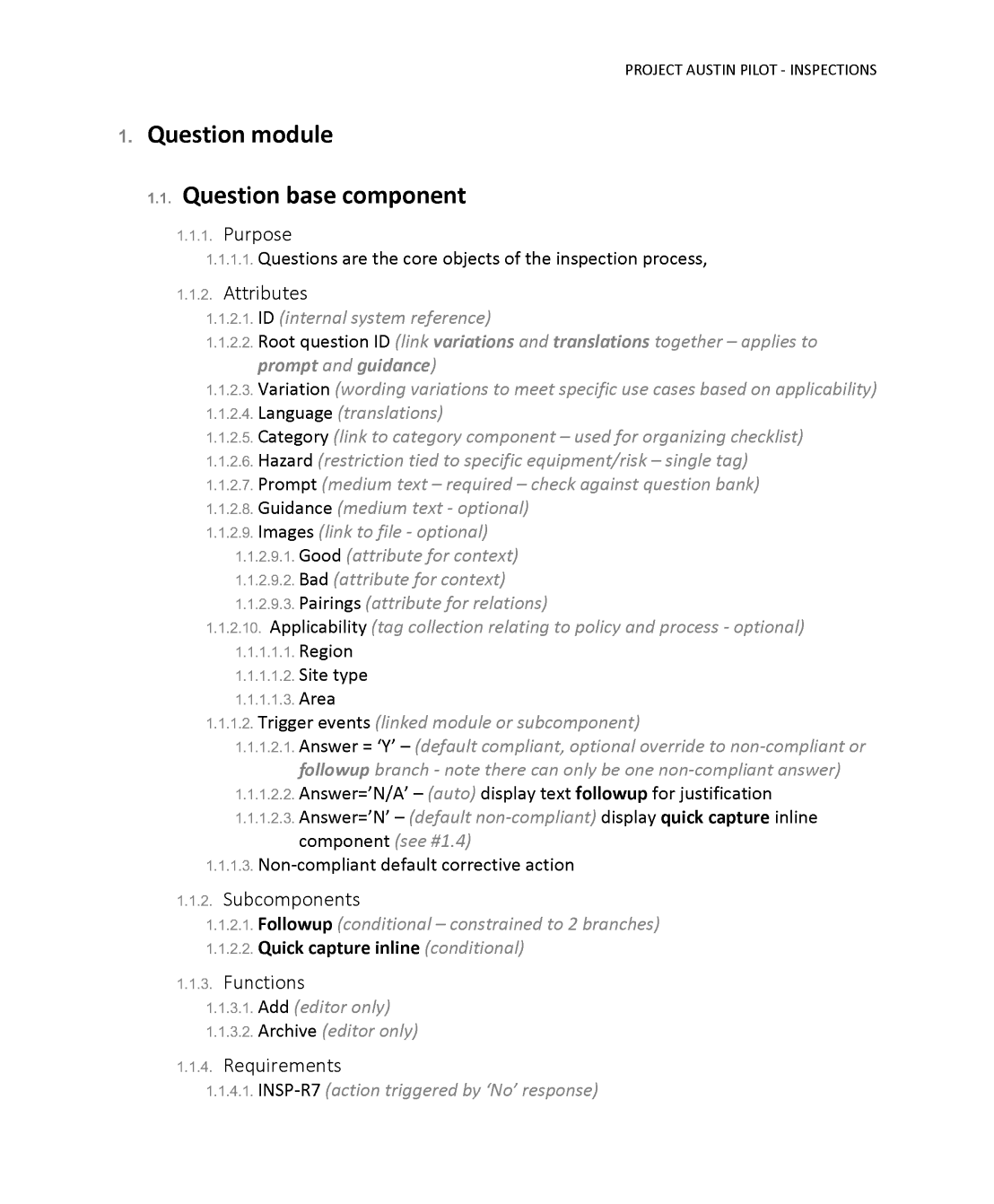
Snippet of a page from a Word doc describing the components in the "question module," including attributes, subcomponents, functions, etc.
Simple flow diagram for designing a safety inspection workflow.

How it worked out…

We delivered the inspections, audits, and actions modules on time with positive results from both qualitative studies and metrics from the beta testing sites. I was also able to provide some vision concepts for some modules that were out of scope for phase one. There was more manual effort required for linking audits with national programs than we would have liked, but that was a necessary trade-off decision and something that could be addressed as a follow-up. I switched teams after launch and a dedicated UX team was put in place to carry on the work.

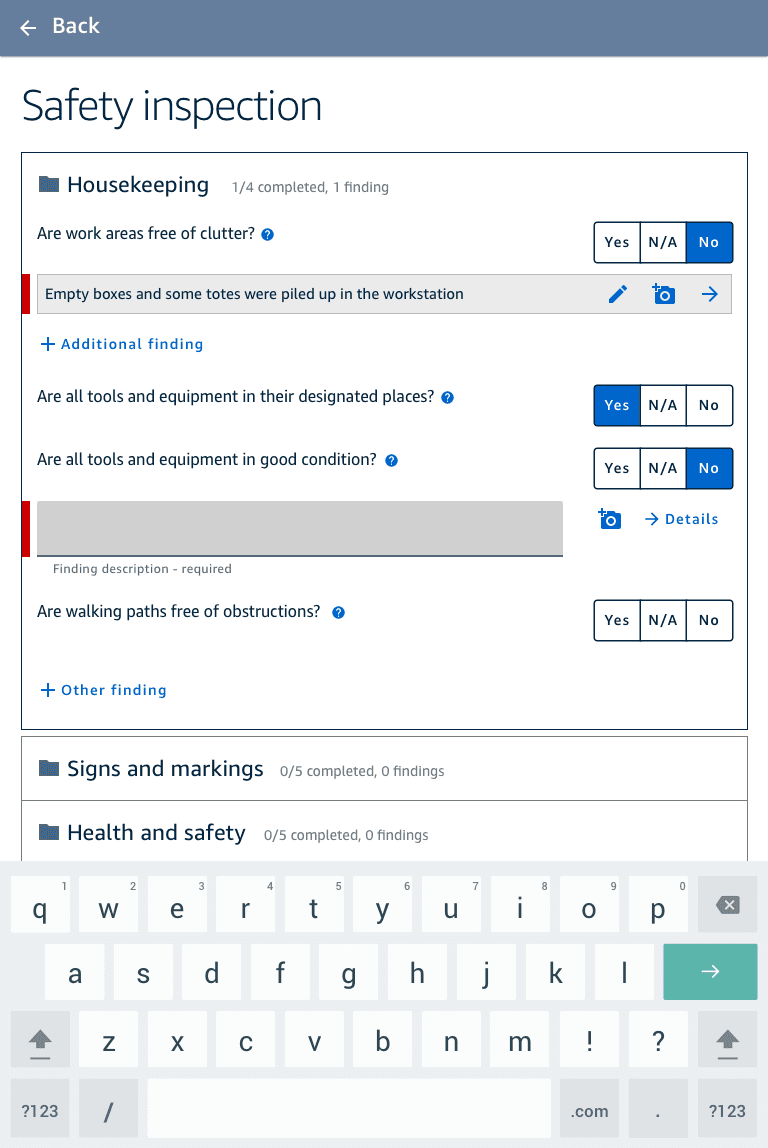
Screenshot of a safety inspection form on a tablet with the top section expanded to show yes/no questions with buttons for yes, no, or N/A. There are two other sections that are closed, but have text describing the total number of questions within, how many have been answered and how many findings have been recorded.
Screenshot of a safety inspection form with some questions answered. The questions that are answered "no," meaning non-compliant have a section expanded underneath to describe the finding. There is also the option to add additional findings for the same question.
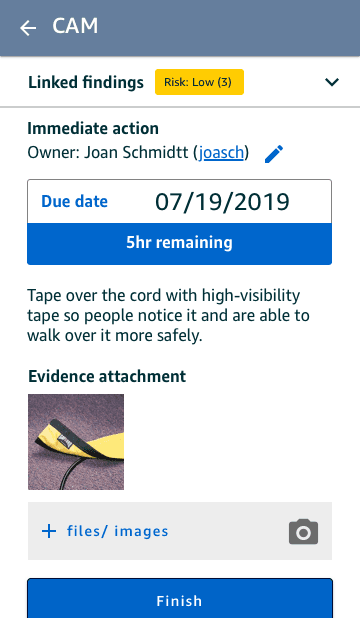
Screenshot of an action task on a mobile device with information about the task owner, the due date, a description of the problem and a photo.
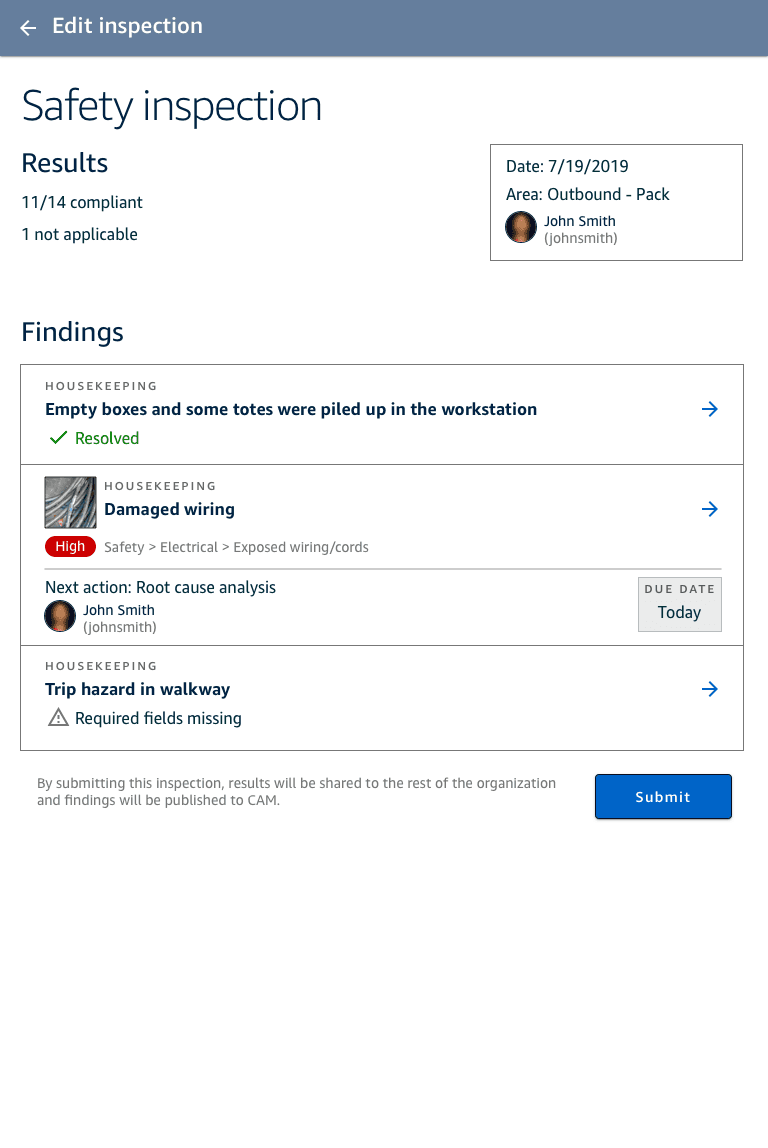
Screenshot of a finished safety inspection on a tablet with 3 findings identified, one is already resolved, another is assigned as an action with an owner and due date, the last one requires additional information before the form can be submitted.
Screenshot of an incedent report on a tablet that has a simple diagram of the human body. There is a dot indicating the point of injury and a popover allowing data to be entered on pain at the time of injury and now with 5 point scales using faces with different expressions of pain and fields to describe the type of injury and whether any treatment has been applied.

The takeaway

While our stakeholders wanted something innovative, it took significant time and effort to build their confidence in the object-oriented approach, which was a big departure from the previous system. I'm confident it was the right decision to continue pushing and not compromise on this point in order to deliver a scalable, stable system.

There was a lot of interest in the project and a broad range of stakeholders who wanted visibility of the work. Pushing back against requests for a deck of high fidelity mockups and instead providing a short vision video that focused on the experience was the right approach. The video was showcased at the global EHS conference that year as well as our fulfillment tech fair and it immediately resonated with people.